Spacemap

See what fills your iPhone

Spacemap turns your photo library into a map sorted by size. Pick the videos and photos you want smaller, compare them with the originals, then replace them. Dates, locations and albums don't change.

4K Videos
Other Videos
Photos
Live Photos
Screen Recordings
Screenshots

“iPhone Storage Full” again?

Deleting things often doesn't free space right away, because they stay in Recently Deleted for 30 days. Spacemap shows which videos and photos take the most space and how much you could save, then replaces only the ones you pick with smaller copies.

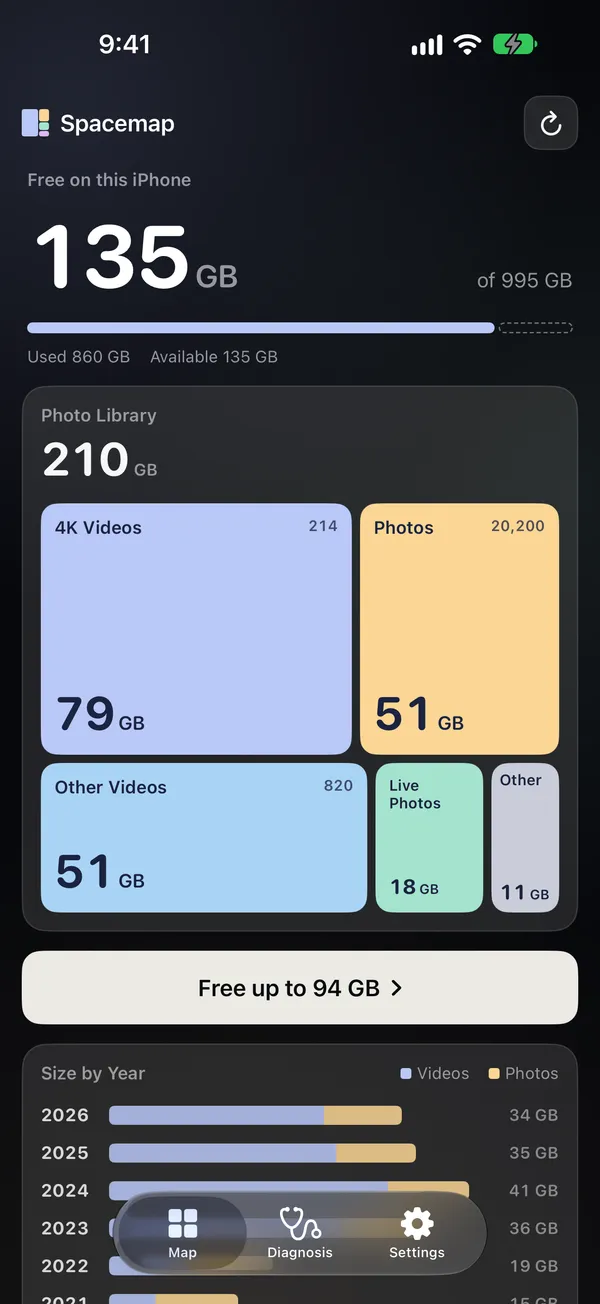
A map of your photo library

A map of your photo library

4K videos, other videos, photos, Live Photos, screen recordings and screenshots are laid out by the space they use. Below the map you can see how much each year takes up. Spacemap reads sizes without downloading originals from iCloud.
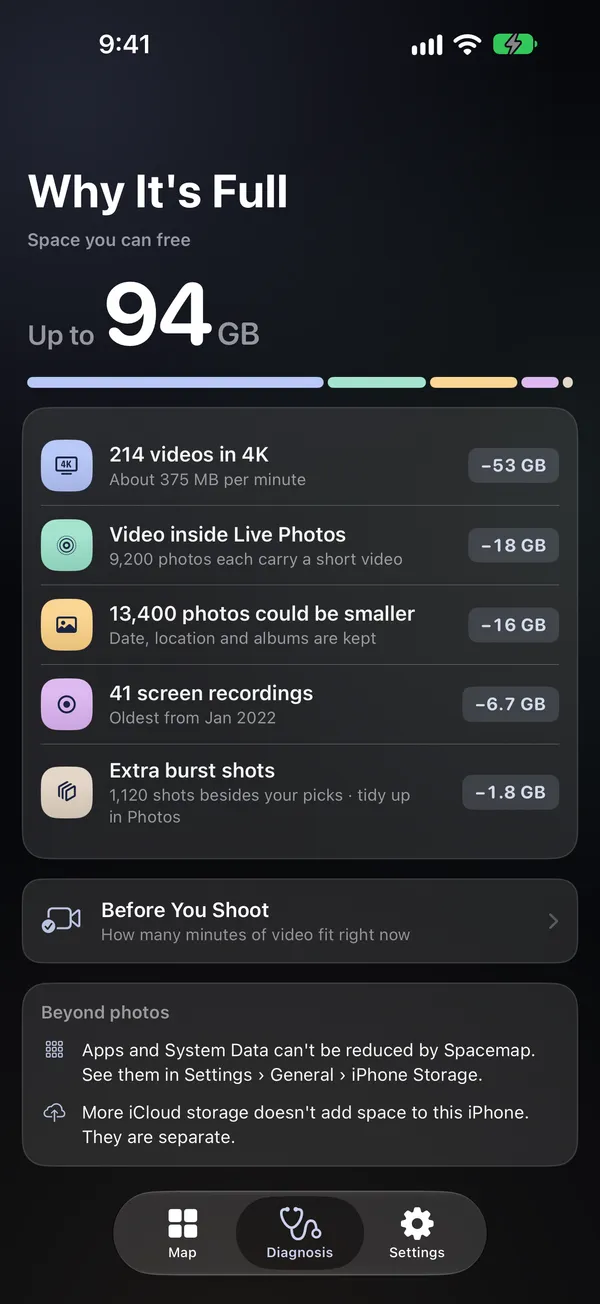
How much you could save

How much you could save

Spacemap lists the reasons your library is so large, with the biggest savings first.

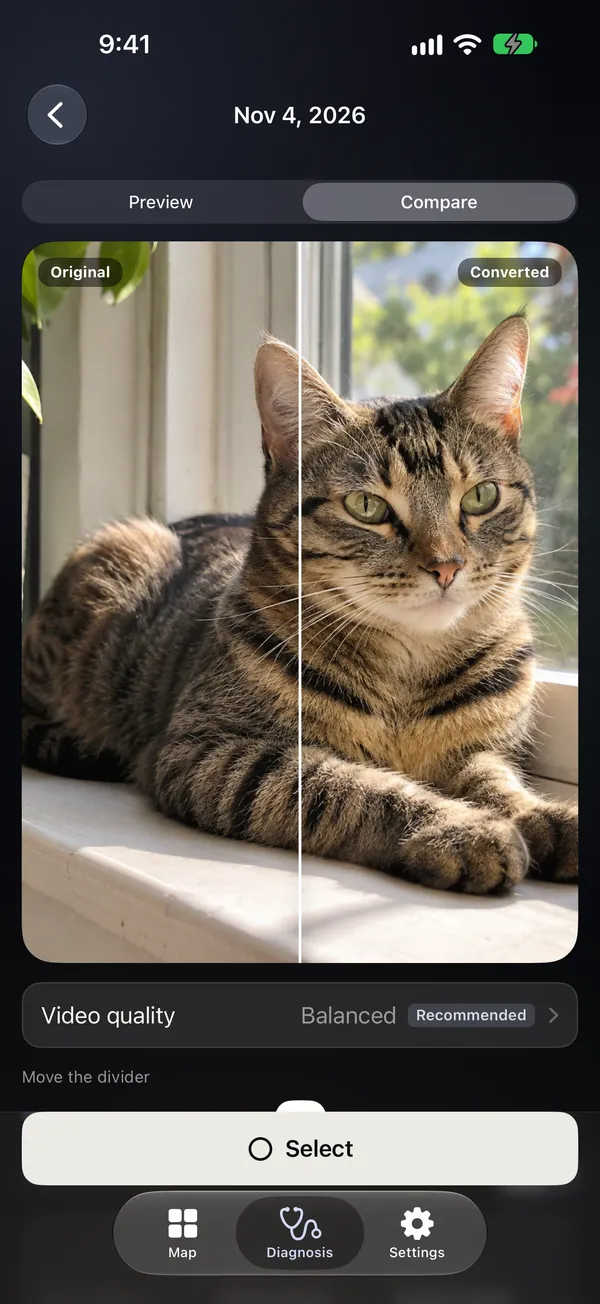
See the difference first

See the difference first

The largest videos come first, and nothing is selected until you choose it. There are four quality levels, from keeping every pixel down to 720p, and frame rate, HDR and Dolby Vision stay the same. Watch a preview, compare the same frame, or play both side by side.

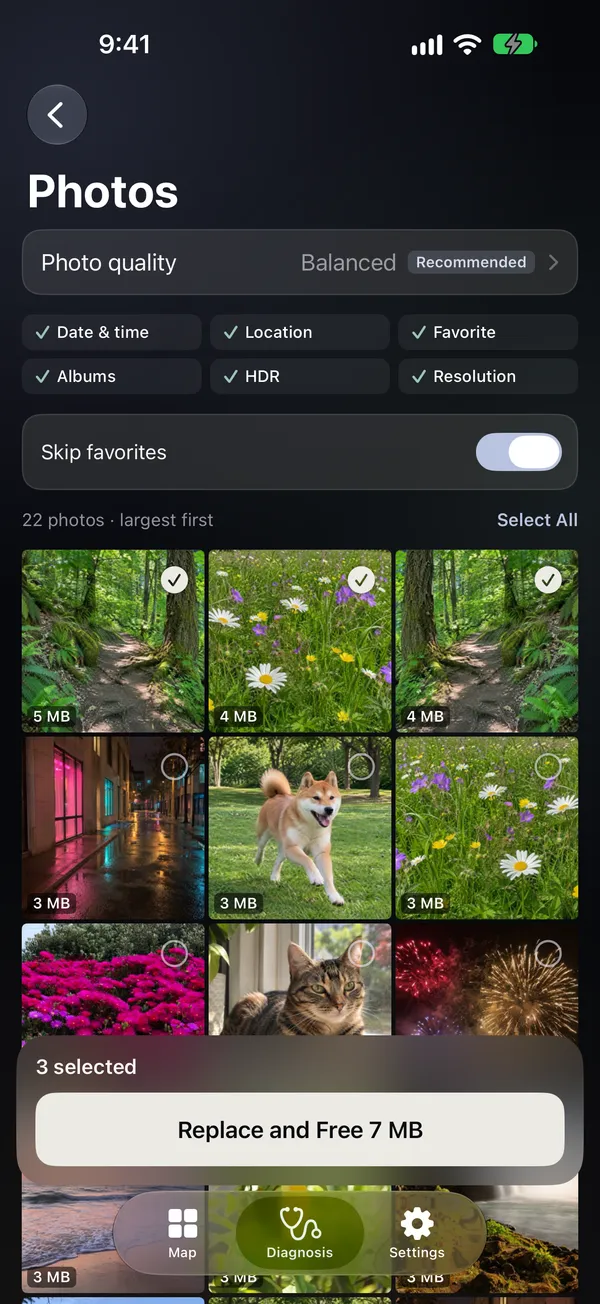
Photos and screenshots too

Photos and screenshots too

At the two higher quality levels, Spacemap tries several settings on each photo and keeps the smallest file that passes a quality check. Photos that are already small are left alone. You can zoom in and compare before you replace.

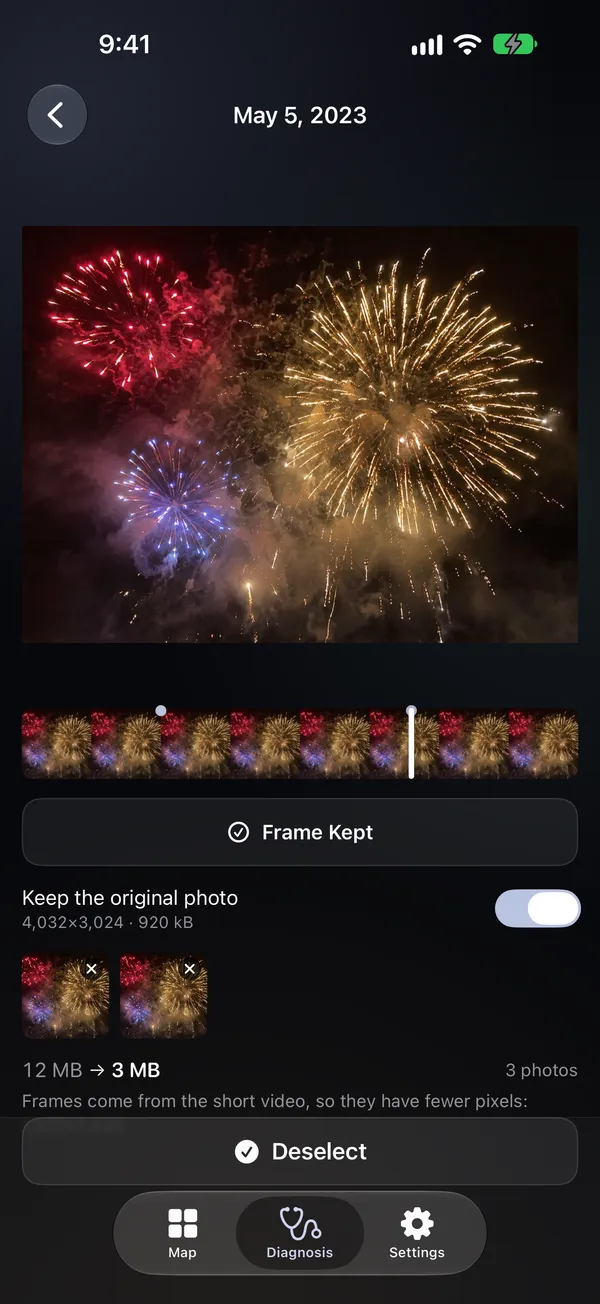
Any frame of a Live Photo

Any frame of a Live Photo

Drag to the frame you want and keep it as a still photo. You can also keep the original photo, several frames, or both.

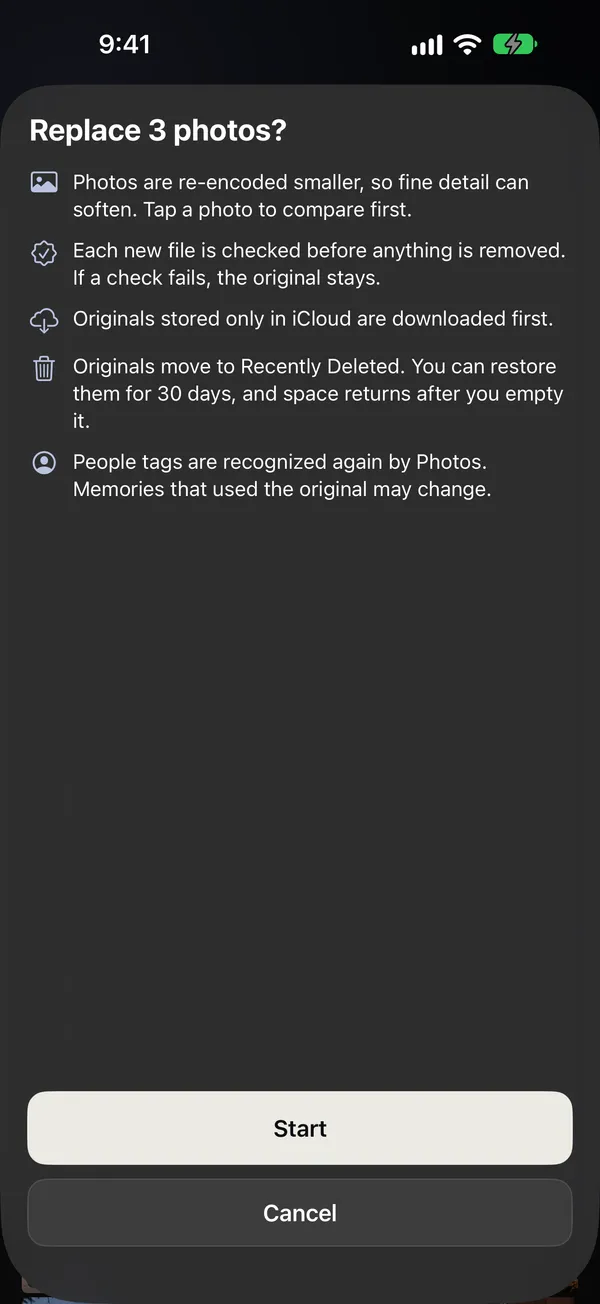
Originals stay recoverable for 30 days

Originals stay recoverable for 30 days

Spacemap checks each new file before it moves the original, and if a check fails, the original stays. Date, location, favorite, caption, keywords, rating and position in albums carry over. Originals go to Recently Deleted, and Spacemap tells you when the space comes back and how to empty it sooner.

Also in the app

  • Before You Shoot shows how many minutes of video still fit
  • With Limited Access, Spacemap measures only the items you select
  • iCloud storage and iPhone storage are explained separately

You pay once. Spacemap has no account or ads and collects no data, and everything runs on your iPhone.

Spacemap works only with your photo library. It can't reduce apps or System Data.